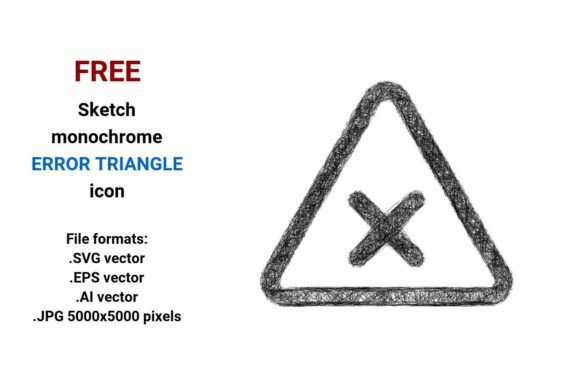
FREE Sketch Error Triangle Icon
Need a bold, expressive warning symbol that stands out without feeling sterile? The FREE Sketch Error Triangle Icon delivers exactly that—a hand-drawn, intentionally imperfect triangle that signals caution, error, or attention in a way that feels human, not robotic. Unlike rigid, machine-perfect icons, this one carries the warmth of pencil-on-paper: subtle line variations, gentle tapering, and organic contours. It’s designed to communicate urgency while preserving personality—ideal for interfaces, presentations, educational materials, or branding where authenticity matters.
Why “Sketch” Makes a Real Difference
A vector error triangle isn’t just about function—it’s about tone. A clean, geometric warning triangle says “system alert.” A sketch-style version says “a real person noticed something important—and wants you to know too.” That distinction resonates differently across roles:
- App designers and UI/UX professionals use it to soften error states—reducing user frustration during form validation or connection failures. A sketch icon feels less punitive than a sharp, red-filled triangle.
- Educators and course creators embed it in slides or worksheets to highlight common misconceptions—its hand-drawn quality makes learning feel approachable, not intimidating.
- Small business owners and marketers apply it in email banners or social graphics to flag limited-time offers (“Caution: Only 3 left!”) with visual charm that aligns with friendly, relatable brand voices.
- Hobbyists and students appreciate how easily it integrates into personal projects—no licensing stress, no pixelation when resized, and zero design experience required to drop it into Canva or Figma.
Four Formats, One Flexible Asset
This FREE Sketch Error Triangle Icon comes in four practical formats—each serving distinct needs:
- .SVG: Perfect for websites, dashboards, and responsive apps. Scales crisply on any screen, loads fast, and works natively in HTML/CSS. Ideal if you’re building a web app or updating a WordPress site.
- .EPS & .AI: Industry-standard vector formats for professional print and editing. Use these in Adobe Illustrator or InDesign to recolor, reposition, or combine with other branding elements—great for logo variants, packaging, or presentation decks needing high-fidelity output.
- .JPG (5000×5000 px): A high-res raster fallback. Useful for quick insertion into PowerPoint, Google Slides, or blog posts where vector support isn’t available—or when you need maximum compatibility across platforms.
No matter your toolset, you’re covered. You don’t need to choose one format and lock yourself in—you get all four, instantly, at no cost.
What “Vector” Actually Means for Your Workflow
A vector image is built from math—not pixels. That means lines, curves, and shapes are defined by coordinates and equations. So when you scale this error triangle icon from a tiny 16px button to a full-page poster, it stays razor-sharp. No blurriness. No jagged edges. Just clarity, every time.
For beginners, that’s peace of mind: drag it in, resize freely, and trust it’ll look right. For experienced designers, it’s creative freedom—edit anchor points, adjust stroke weight, or overlay textures without degrading the base shape. And for educators or content creators, it means one file works across handouts, videos, and digital whiteboards—no hunting for “bigger versions” later.
Real-World Uses Across Skill Levels
Beginners might add the SVG directly to a Notion page to mark “review needed” sections—or paste the JPG into a Canva flyer to highlight a safety tip. No installation, no plugins—just copy, paste, and go.
Freelancers and small studios often use the AI file to match brand color palettes before exporting assets for client handoff. Need a navy-blue caution triangle with a 2pt dashed outline? Done in under a minute.
Developers leverage the SVG’s inline-editable code—tweaking fill colors via CSS or adding hover animations without touching external files. It’s lightweight, accessible (with proper aria-label), and fully controllable.
Teachers and trainers print the EPS version onto laminated classroom cards—“Warning: Common syntax error”—to hold up during live coding demos. The sketch style invites questions instead of shutting them down.
When This Icon Fits—And When It Might Not
This FREE Sketch Error Triangle Icon shines when you value expressiveness alongside clarity. It’s ideal if your project benefits from warmth, approachability, or creative energy—like indie apps, educational tools, handmade product sites, or community newsletters.
It may be less suited for contexts demanding strict regulatory compliance (e.g., industrial safety signage), ultra-minimalist tech dashboards where consistency trumps character, or situations requiring multilingual icon systems with standardized semantics.
Ask yourself: Does my audience respond better to precision—or personality? Am I solving for recognition, emotion, or both? If the answer tilts toward human connection—even in a functional moment like an error message—this sketch icon earns its place.
More Than Just an Icon—A Design Element With Intention
Beyond warnings and errors, this triangle functions as a design element: a visual anchor in infographics, a bullet alternative in checklists, or a subtle background motif in slide templates. Its rough, handdrawn error triangle icon aesthetic pairs naturally with doodle-style illustrations, handwritten fonts, or textured overlays—helping unify a “creative sketch icon” system across touchpoints.
Because it’s offered as a freehand, scalable sketch icon, it grows with your needs—from a single-use graphic today to part of a broader visual language tomorrow. No subscription. No attribution required. Just quiet reliability, ready when inspiration—or urgency—strikes.
Ready When You Are
Whether you're debugging an app, designing a workshop handout, launching a new service, or simply spicing up a personal blog post—the FREE Sketch Error Triangle Icon meets you where you are. It respects your time, your tools, and your voice. And because it’s delivered in .SVG, .EPS, .AI, and .JPG, there’s no compromise between quality and convenience.
No gatekeeping. No fine print. Just a thoughtful, scalable, hand-drawn warning triangle—waiting to help your message land, clearly and kindly.