FREE Sketch Warning Icon
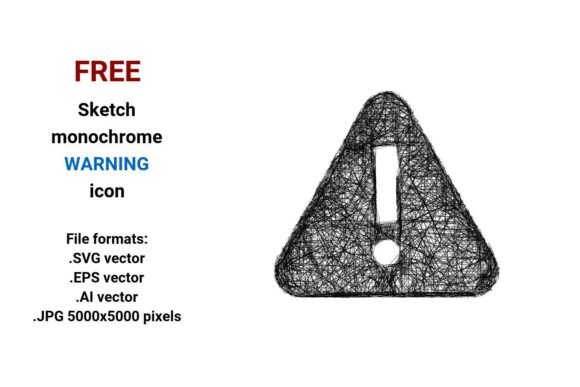
A FREE Sketch Warning Icon is a hand-drawn, minimalist vector illustration designed to convey caution or alert in a visually approachable way. Unlike polished, rigid UI icons, it uses loose lines, subtle imperfections, and organic curves—evoking the feel of a pencil sketch. It’s delivered in four widely compatible file formats: .SVG, .EPS, .AI, and .JPG (5000×5000 pixels), making it usable across design, development, and print contexts.
Why Consider a FREE Sketch Warning Icon?
Designers and developers often seek visual elements that balance clarity with personality. A warning icon must communicate urgency or risk without overwhelming users—but standard flat or filled icons can feel cold or generic in certain interfaces. The FREE Sketch Warning Icon offers an alternative: one that supports usability while reinforcing tone—especially in applications aiming for approachability, education, playfulness, or human-centered design.
Its relevance extends beyond aesthetics. In user interface (UI) design, an alert warning element must be instantly recognizable yet harmonize with surrounding components. A sketch warning icon can serve as a subtle visual cue in dashboards, onboarding flows, form validation messages, or documentation—particularly where users benefit from reduced cognitive load and increased emotional resonance.
Key Benefits of This Vector Warning Icon
- Scalability without quality loss: As a true vector image, it relies on mathematical paths—not pixels—so it remains crisp at any size, from a 16-pixel button to a full-page illustration.
- Format flexibility: The inclusion of .SVG (ideal for web use), .EPS and .AI (for editing in Adobe Illustrator or legacy workflows), and high-res .JPG (for presentations or non-vector environments) lowers integration barriers.
- Design system compatibility: Its line art and outline style integrates well with other hand drawn or sketchy assets—useful when building cohesive illustration libraries or brand-specific UI kits.
- Usability alignment: The simple sketch icon retains sufficient contrast and shape recognition to meet basic accessibility expectations for iconography, especially when paired with supporting text or color cues.
Tradeoffs and Practical Considerations
While versatile, this sketch warning icon isn’t universally optimal. Its informal appearance may conflict with formal, enterprise, or safety-critical contexts—such as medical device interfaces, industrial control panels, or regulatory documentation—where standardized, high-contrast, internationally recognized symbols (e.g., ISO 7010) are required.
Also, because it’s black and white, it relies on context or surrounding color to signal severity. A red background or border may be needed to reinforce the alert warning intent—something not built into the icon itself. Users should verify contrast ratios if deploying in low-vision or WCAG-compliant environments.
Further, the handdrawn vector icon style introduces subtle variability in line weight and spacing. That’s intentional—and part of its charm—but may require extra attention during responsive implementation (e.g., ensuring legibility at small sizes) or when aligning with grid-based layouts.
When This Icon Is a Strong Fit
A FREE Sketch Warning Icon works best in scenarios where tone and trust matter as much as function:
- Educational tools or learning platforms — where a playful, non-intimidating warning helps learners pause without anxiety.
- Internal dashboards or prototypes — where rapid iteration benefits from lightweight, editable assets like .SVG or .AI files.
- Branded marketing sites or SaaS onboarding — where consistent sketch clipart reinforces a friendly, transparent brand voice.
- Printed collateral or illustrated reports — where the .JPG version provides high-resolution output without needing vector software.
In each case, the icon functions not just as a functional warning button or alert warning button, but as a deliberate design element supporting broader communication goals.
When to Explore Alternatives
Consider alternatives if your project requires:
- Strict compliance — e.g., aviation, healthcare, or manufacturing interfaces governed by regulatory icon standards.
- Dynamic theming — where icons must adapt to light/dark modes automatically; this black and white version lacks built-in color variants or CSS variables.
- Animation or interactivity — while the .SVG format supports animation, the sketch style’s irregular lines may complicate smooth transitions compared to geometric icons.
- High-density UIs — such as mobile toolbars or compact data tables, where simplified, bold shapes often improve scanability over delicate line icon details.
Alternatives worth evaluating include standardized SVG icon sets (e.g., Feather Icons, Heroicons), WCAG-optimized warning glyphs, or custom-designed icons aligned to your exact color palette and spacing system.
Making an Informed Choice
Before adopting the FREE Sketch Warning Icon, ask: What role does this icon play in my interface? If it’s primarily functional—e.g., signaling critical errors in a financial app—prioritize clarity and consistency over stylistic distinction. If it’s part of a larger narrative—e.g., guiding users through a creative workflow or softening feedback in a wellness app—its sketch warning character adds meaningful value.
Also assess technical needs. Do you require editable vectors for ongoing customization? Then .AI and .EPS support matters. Is web performance critical? Prioritize .SVG and verify its file size and rendering behavior across browsers. Are non-designers (e.g., content editors) expected to insert it? The .JPG version offers simplicity but sacrifices scalability and editability.
Finally, test it. Place the alert warning icon alongside real content—not in isolation. Does it draw appropriate attention? Does it feel out of place next to your typography or buttons? Does it retain meaning when resized or recolored? Real-world usage reveals more than format specs ever can.
The FREE Sketch Warning Icon is a practical, adaptable asset—but its effectiveness depends less on what it is and more on how intentionally it’s applied. When matched thoughtfully to audience, context, and purpose, it supports both usability and expression—without compromising either.