FREE Sketch Trash Bin Icon
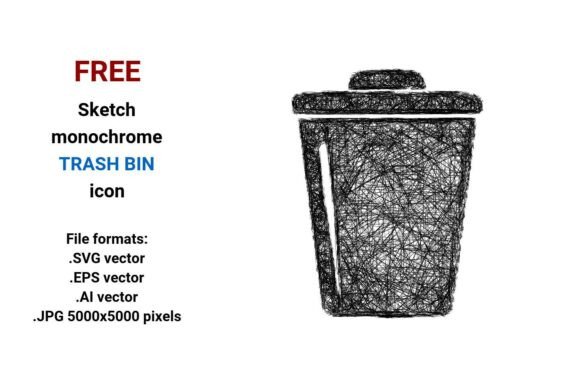
Need a clean, expressive, and instantly recognizable trash bin icon that feels human—not robotic? The FREE Sketch Trash Bin Icon delivers exactly that: a hand-drawn, black-and-white trash bin rendered in four versatile file formats—.SVG, .EPS, .AI, and high-res .JPG (5000×5000 px). It’s not just another generic pictogram. It’s a design element with personality—curved lines, subtle imperfections, and the quiet confidence of pencil-on-paper authenticity.
Why This Sketch Trash Bin Icon Stands Out
Unlike rigid, over-optimized icons built for maximum scalability alone, this sketch trash bin icon balances precision and warmth. Its vector foundation ensures razor-sharp clarity at any size—from a tiny dashboard button to a large-scale print poster—while its sketch aesthetic invites approachability. That matters. Whether you’re designing a food blog’s “delete recipe draft” function or prototyping a smart kitchen app, users respond more intuitively to interfaces that feel thoughtfully crafted—not algorithmically generated.
The black-and-white palette isn’t limiting—it’s strategic. It integrates seamlessly into light and dark UI modes, pairs effortlessly with brand color accents, and avoids accessibility pitfalls tied to low-contrast or overly saturated icons. And because it’s delivered in both editable vector formats (.SVG, .EPS, .AI) and a crisp raster version (.JPG), you’re covered whether you're coding a React component, preparing assets for a client presentation, or building a printable educational worksheet.
Creative Uses Across Real Projects
This isn’t just an icon for “delete.” It’s a flexible visual anchor—one designers and creators adapt across contexts with intention:
- Kitchen bin interface: Use the sketch trash bin icon as a tactile “discard ingredient” button in meal-planning apps—its organic line work subtly reinforces real-world kitchen actions, not abstract digital commands.
- Educational materials: Teachers and curriculum designers embed the .JPG version into PDF worksheets about waste sorting, composting, or sustainability units. Its simplicity helps young learners focus on concepts—not visual noise.
- UX wireframes & prototypes: Drop the .SVG into Figma or Adobe XD as a reusable component. Its sketch style signals “early-stage idea” without sacrificing professionalism—ideal for stakeholder reviews where clarity and collaboration matter more than pixel-perfect polish.
- Marketing assets: Freelancers and small business owners use the .AI file to customize the icon for branded email banners (“Clear your cart—no guilt!”) or social media graphics highlighting eco-conscious packaging (“Our waste? Sketched, not skipped.”).
How Different Users Make It Their Own
Designers appreciate the vector flexibility: tweak stroke weight in Illustrator to match a minimalist brand system, or isolate the bin’s curved handle in SVG to animate it on hover. The .EPS format ensures compatibility with legacy print workflows—still relevant for packaging mockups or trade show signage.
Bloggers and content creators use the .JPG version directly in Canva or WordPress posts—no conversion needed. Its 5000×5000 resolution means it scales beautifully in featured images, Pinterest pins, or newsletter headers without blurring or pixelation.
Educators and non-profits rely on the black-and-white simplicity for accessibility and reproducibility. Print it on B&W handouts, trace it for classroom art activities, or layer it over photos of real recycling stations to build visual literacy around waste systems.
Developers integrate the .SVG natively—no external dependencies. Add ARIA labels like aria-label="Delete selected item" for screen readers, and pair it with subtle CSS transitions for intuitive feedback. Because it’s a true vector, it loads faster and scales responsively across devices.
Staying Clear, Consistent, and Audience-Friendly
A sketch-style icon gains power when used with purpose—not decoration. To keep your implementation effective:
- Limit stylistic variation: If you’re using this trash bin icon in a dashboard, avoid mixing it with photorealistic or neon-glitch icons. Pair it instead with other hand-drawn or line-art elements—consistency builds visual trust.
- Respect context hierarchy: In a kitchen app, place the sketch trash bin icon near action verbs (“Discard,” “Remove,” “Clear”)—not buried in settings. Its sketch quality should support usability, not distract from it.
- Test contrast and scale: Even black-and-white icons need legibility testing. At 16px, ensure the opening curve of the bin remains distinct. At larger sizes (e.g., 120px for a presentation slide), verify the sketch texture reads as intentional—not muddy.
- Attribute thoughtfully—if required: While this is a FREE Sketch Trash Bin Icon with no mandatory attribution, crediting the source in team documentation or asset libraries fosters transparency and supports ethical design culture.
More Than Just an Icon—A Design Mindset
Choosing a sketch trash bin icon isn’t just about aesthetics. It reflects a decision to prioritize human-centered communication over sterile efficiency. It says: We see the person behind the click—the cook mid-recipe, the student learning systems thinking, the developer iterating fast but carefully.
You don’t need to overhaul your entire design system to benefit from it. Start small: replace one flat icon in your next prototype. Use the .SVG to build a reusable React component. Print the .JPG and sketch around it during a brainstorming session. Let its curves remind you that clarity and character aren’t opposites—they’re collaborators.
Whether you’re refining a kitchen bin interface, illustrating a zero-waste guide, or simply looking for a trustworthy, ready-to-use trash icon that doesn’t shout “stock asset,” the FREE Sketch Trash Bin Icon offers grounded utility—and quiet creative permission.