FREE Sketch Secure Filing Icon
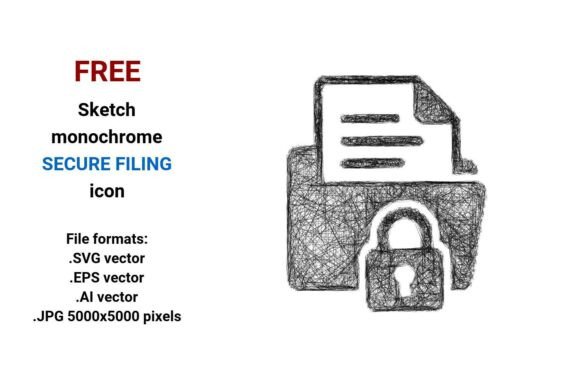
The FREE Sketch Secure Filing Icon is a downloadable vector and raster asset designed to visually represent secure, safe, or encrypted document handling—commonly used in tax software interfaces, financial dashboards, compliance tools, or internal filing systems. It comes in four formats: .SVG, .EPS, .AI, and .JPG (5000×5000 pixels), all delivered in black-and-white sketch style. This icon uses hand-drawn, minimal line-art aesthetics—think light pen strokes, subtle hatch textures, and an organic outline—to convey security without relying on clichéd padlock motifs.
Why Consider This Icon?
Designers, developers, and product teams often need visual elements that communicate trust and data protection quickly and clearly. A secure filing icon may be required for:
- Dashboard UIs where users upload sensitive documents (e.g., tax returns, HR forms, audit evidence)
- Mobile or web applications emphasizing end-to-end encryption or zero-knowledge storage
- Internal tools requiring consistent, accessible iconography aligned with a “hand-drawn” or “sketch-style” design system
- Prototypes or wireframes needing low-fidelity yet meaningful visual cues for secure actions
This particular icon stands out because it merges conceptual clarity (“filing” + “security”) with stylistic intention (“sketch”, “line icon”, “minimal”). Its black-and-white palette ensures flexibility across themes (light/dark mode), while the sketch aesthetic supports a human-centered, approachable tone—useful when balancing technical functionality with user empathy.
Key Benefits and Practical Advantages
The FREE Sketch Secure Filing Icon offers several functional advantages:
- Scalability without degradation: As a vector image (.SVG, .EPS, .AI), it retains crisp edges at any size—ideal for responsive layouts, high-DPI displays, or print-ready documentation.
- Editing flexibility: Vector formats allow designers to adjust stroke weight, color, or composition directly in tools like Adobe Illustrator or Figma—without losing fidelity.
- Accessibility-ready base: The monochrome design simplifies contrast adjustments for WCAG-compliant interfaces; its clean outline supports clear rendering at small sizes (e.g., 24×24 px toolbar icons).
- Consistent visual language: When paired with other sketch-style icons (e.g., “safe filing”, “encrypted filing”, “tax”), it reinforces cohesion across an app or platform’s icon set.
Tradeoffs and Realistic Expectations
While useful, this icon has limitations worth acknowledging before integration:
- No built-in color variants: It ships only in black-and-white. If your interface relies on semantic color coding (e.g., green = verified, red = pending), you’ll need to recolor manually—and verify accessibility of resulting contrasts.
- Style-specific context: The hand-drawn, “scribble” aesthetic may feel incongruent in highly formal or corporate environments (e.g., banking portals prioritizing sleek minimalism over artistic texture). In such cases, a more neutral line icon or flat design alternative might align better.
- JPG is raster-only: Though high-resolution (5000×5000 px), the .JPG version cannot scale infinitely and lacks transparency support. Use it only for static previews, presentations, or legacy systems that don’t accept vectors.
- No licensing details provided: As a “free” resource, verify usage rights—especially for commercial products. Some free sketch icons carry attribution requirements or restrict redistribution in derivative assets.
When This Icon Is a Strong Fit
This icon works well if your project values:
- Conceptual clarity over literal symbolism: It suggests security through careful, intentional line work—not just a lock—but does so within familiar filing conventions (file folder, stacked documents).
- Design-system consistency: You’re already using sketch-style icons elsewhere (e.g., “secure filing button”, “app sketch icon”, “outline sketch icon”) and need visual harmony.
- Rapid prototyping needs: You require a production-ready, editable asset to test user understanding of “secure upload” flows—without waiting for custom illustration.
- Tax or compliance use cases: Its association with “tax”, “filing”, and “encrypted filing” makes it appropriate for government, accounting, or legal software where trust signals matter.
When to Explore Alternatives
Consider other options if:
- Your interface demands strict adherence to a branded icon system (e.g., Material Design, Apple SF Symbols) where stylistic deviation reduces recognition.
- You need multistate icons (e.g., hover, active, disabled) or animated variants—this resource provides only a single static representation.
- Target users include audiences less familiar with abstract sketch metaphors—older demographics or non-technical stakeholders may interpret “hand-drawn” as unfinished or low-effort unless supported by clear labeling.
- You require semantic richness beyond “secure + filing”—for example, distinguishing between client-side encryption, server-side hashing, or third-party audit status. In those cases, supplemental text or layered icons may be necessary.
Making an Informed Choice
To determine whether the FREE Sketch Secure Filing Icon meets your needs, ask:
- Does the sketch aesthetic reinforce—or distract from—your brand voice? Compare it alongside existing UI components. Does it feel like part of the same family?
- What’s your output scope? If you’re building for web and native apps, prioritize the .SVG version. For print or documentation, lean on .EPS or .AI. Reserve .JPG for mockups only.
- How much customization will you do? If you plan to adjust stroke, spacing, or alignment, confirm your team has access to vector-editing tools—and time to refine.
- Is “secure filing” your primary message—or one layer of a broader security story? If users need to distinguish between backup, encryption, and access control, this icon alone may not suffice without supporting microcopy or contextual help.
In summary, the FREE Sketch Secure Filing Icon is a practical, scalable resource for teams seeking a human-centered, technically sound visual shorthand for protected document handling. Its strength lies in versatility across formats and alignment with modern design trends like “drawn secure filing” and “outline sketch icon”. However, its suitability depends less on inherent quality and more on fit—within your design system, user expectations, and implementation constraints. Evaluate it not as a universal solution, but as one thoughtful option among many for communicating safety, structure, and intention in digital filing experiences.