FREE Sketch Leaf Circle Icon
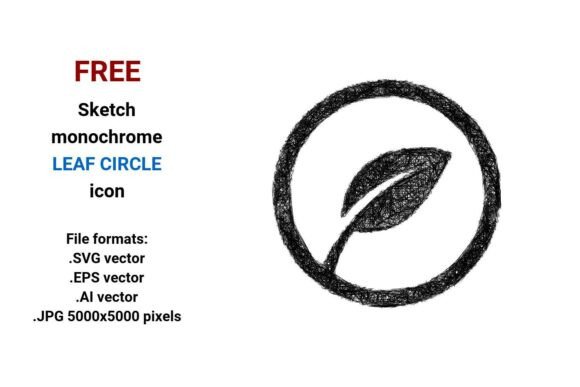
A FREE Sketch Leaf Circle Icon is more than a decorative asset—it’s a functional, scalable visual element designed for clarity, consistency, and intention. Whether you’re building a sustainability dashboard, designing an eco-conscious brand kit, or illustrating a lesson on environmental science, this icon bridges concept and execution with minimal friction. Its sketch-style aesthetic—rough, hand-drawn, yet precise—communicates authenticity and approachability without sacrificing professionalism.
What Makes This Icon Practical in Real Workflows
The FREE Sketch Leaf Circle Icon comes in four formats: .SVG, .EPS, .AI, and .JPG (5000×5000 pixels). That variety isn’t just convenience—it’s workflow insurance. SVG scales infinitely for responsive web interfaces; EPS and AI integrate cleanly into Adobe Creative Cloud projects for print or layered editing; the high-res JPG serves as a reliable fallback for presentations, social posts, or platforms that don’t support vector imports.
This flexibility means you can use the same core visual across stages: sketching wireframes in Figma (via SVG), refining branding assets in Illustrator (using AI or EPS), then exporting crisp thumbnails for email newsletters (JPG). No redrawing. No quality loss. No version confusion.
Where It Fits Before, During, and After Key Tasks
Before a project: Use the FREE Sketch Leaf Circle Icon to define tone early. Drop it into mood boards, pitch decks, or style guides to signal organic, human-centered design—especially useful when aligning stakeholders around values like sustainability, wellness, or education. Its sketchy line work subtly signals “in progress,” “thoughtful,” or “handcrafted,” setting expectations before final assets are locked in.
During execution: Embed it directly into UI components—as a toggle button for an “eco mode” setting, a category marker in a resource library, or a status indicator in a learning management system. Because it’s vector-based, developers can style its stroke weight or color via CSS (SVG) or recolor it non-destructively in design tools (AI/EPS). That saves time versus raster alternatives that require manual touch-ups at each size.
After delivery: Repurpose it across documentation, training materials, or internal wikis. A round leaf icon next to a “Sustainability Tip” heading improves scannability. In printed workshop handouts, the sketch style adds warmth without competing with dense text. Its consistent shape (circle + leaf) builds visual recognition over time—reinforcing your message long after the initial launch.
Integration With Tools You Already Use
You don’t need new software to benefit from this icon. It works natively in common environments:
- Figma & Adobe XD: Import SVG directly—scale, recolor, or animate without pixelation.
- Illustrator & InDesign: Open AI or EPS files to edit paths, adjust sketch texture, or combine with custom typography.
- Web CMS (WordPress, Webflow, Notion): Upload SVG for crisp rendering on all devices—or use JPG where SVG upload is restricted.
- Microsoft Office & Google Slides: Insert JPG at full resolution; it stays sharp even when zoomed during live presentations.
No plugins. No converters. No licensing checks. It’s ready the moment you download it.
Workflow Tips for Consistent, Efficient Use
Organize by format and purpose. Create a simple folder structure: /icons/leaf-circle/svg-for-web, /icons/leaf-circle/ai-for-branding, /icons/leaf-circle/jpg-for-presentation. Name files descriptively—sketch-leaf-circle-button.svg, not icon1.svg. This prevents wasted time hunting during tight deadlines.
Standardize sizing and spacing. Define base dimensions early: e.g., “All sketch leaf circle icons used as buttons will be 48×48px in web UIs, with 8px padding.” Document that rule in your design system or team wiki. Consistency reduces cognitive load for users—and avoids last-minute resizing in dev handoff.
Test contrast and legibility. The sketch style relies on line weight and negative space—not heavy fills. At small sizes (e.g., 24×24px in a toolbar), verify the leaf shape remains readable against light/dark backgrounds. If needed, slightly bold the stroke in SVG or AI—then export updated versions rather than adjusting per use case.
Reuse intelligently—not automatically. A round leaf icon works well for “eco,” “nature,” or “growth” themes—but avoid forcing it into unrelated contexts (e.g., finance dashboards without sustainability alignment). Let meaning guide placement, not just availability.
Long-Term Value: Quality Control and Scalability
Because it’s built as a vector image—a digital image made of mathematical equations defining points, lines, and curves—the FREE Sketch Leaf Circle Icon retains fidelity at any scale. That means the same file works for a tiny favicon, a large wall graphic at a conference booth, or a detailed print brochure. There’s no need to maintain multiple resolutions, reducing asset bloat and version drift.
Its black-and-white sketch foundation also supports accessibility and adaptability. You can apply brand colors programmatically (SVG), invert it for dark mode (CSS filters), or layer it over photos without clashing. Unlike photorealistic icons, it doesn’t compete visually—it complements.
Over time, using this icon consistently builds subtle brand equity. Users begin associating the round leaf shape + sketch texture with your voice—whether you’re a freelance educator sharing climate literacy resources or a small business labeling compostable packaging. Recognition compounds quietly, without extra marketing spend.
Real Use Cases Across Roles
For educators: Insert the FREE Sketch Leaf Circle Icon into slide decks when introducing ecosystem concepts. Its hand-drawn quality feels inviting to students—less “textbook,” more “let’s explore together.” Export as JPG for printable flashcards or worksheets.
For marketers: Pair it with short copy in email headers (“Your Weekly Eco Tip”) or as a bullet point in sustainability reports. The round leaf icon acts as a visual anchor—improving retention of key messages in skimmable content.
For developers: Use the SVG version as an inline icon in HTML buttons or navigation items. Add ARIA labels (aria-label="Eco-friendly option") for screen readers. No external HTTP requests—just clean, accessible markup.
For freelancers & small teams: Include it in proposal templates as a subtle motif—on cover pages, section dividers, or service cards. It signals niche alignment (eco, wellness, education) without overt branding, helping prospects quickly grasp your focus area.
Final Thought: Intention Over Decoration
The FREE Sketch Leaf Circle Icon isn’t meant to fill empty space. It’s meant to clarify intent—to mark a choice, highlight a value, or guide attention toward something meaningful. When you place it deliberately—in a dashboard, a lesson plan, a product label—you’re not just adding graphics. You’re reinforcing a stance: thoughtful, grounded, human-scaled. That resonance lasts longer than any trend. And because it’s free, vector-based, and format-flexible, it supports that intention—without compromise.