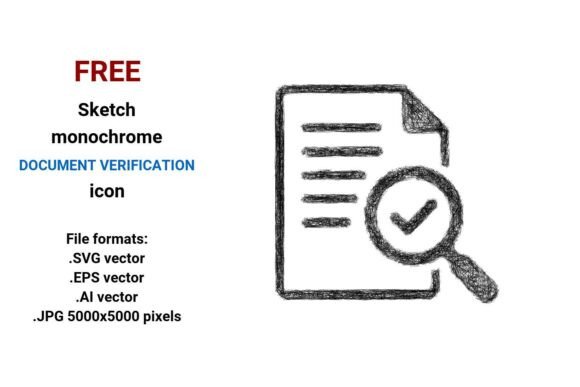
FREE Sketch Document Verification Icon
When clarity matters—and speed matters even more—the FREE Sketch Document Verification Icon delivers both. It’s not just another decorative asset. It’s a purpose-built visual cue: informal yet intentional, hand-drawn yet precise, minimal yet expressive. Designed for real-world use—not just aesthetics—it supports communication around document review, compliance checks, and verification workflows across digital interfaces, presentations, internal tools, and brand touchpoints.
Why a Sketch-Style Icon Works Where Others Fall Short
Standard icons often default to rigid geometry—sharp corners, uniform strokes, sterile neutrality. That works for enterprise dashboards or regulatory portals where formality signals authority. But many teams operate in spaces where trust is built through approachability: onboarding flows for small business clients, educator-facing learning platforms, freelance proposal kits, or community-driven compliance guides. In those contexts, a sketch document verification icon signals human oversight—not automation alone. It quietly communicates: “A person reviewed this,” “This was checked carefully,” or “We take verification seriously, without pretense.”
This isn’t about style over substance. It’s about alignment. A FREE Sketch Document Verification Icon bridges tone and function. Its handdrawn vector icon quality preserves authenticity while ensuring technical reliability—no pixelation, no distortion, no compromise on fidelity at any scale.
Four Formats, One Strategic Advantage
You get the FREE sketch black and white document verification icon in four production-ready formats: .SVG, .EPS, .AI, and .JPG (5000×5000 pixels). Each serves a distinct role in your workflow:
- .SVG: Ideal for websites, web apps, and responsive UIs. Scales infinitely, loads fast, supports CSS styling, and integrates cleanly with modern front-end frameworks. Use it as a document verification button in forms, status indicators, or step-by-step checklists.
- .EPS & .AI: Native vector formats for designers using Adobe Illustrator or legacy print workflows. Essential when adapting the icon for branded stationery, slide decks, or marketing collateral where precision editing—color shifts, stroke adjustments, layer reorganization—is required.
- .JPG (5000×5000): High-resolution raster fallback for platforms that don’t support vectors—think email clients, certain CMS editors, or printed handouts. At this resolution, it holds crisp detail even when enlarged or converted to PDF.
Having all four means you’re never forced into a suboptimal format mid-project. You choose based on context—not constraint.
Where This Icon Adds Real Value (and Where It Doesn’t)
A compliance verification icon isn’t universally useful—but it shines in specific, high-leverage situations:
- Onboarding flows: Pair it with a “Documents Verified” confirmation screen for freelancers submitting W-9s, educators uploading credentials, or vendors completing vendor registration. The sketchy line quality softens bureaucratic friction without undermining seriousness.
- Educational materials: Use it in worksheets, infographics, or training modules teaching document review best practices. Its doodle style icon aesthetic increases recall and reduces cognitive load compared to dense text explanations.
- Internal dashboards: As a status marker next to employee ID uploads, contract renewals, or audit prep items. Its outline sketch icon readability ensures quick scanning—even at small sizes.
- Branding consistency: When your visual language leans into minimal, curved, or pen drawn icon motifs, this asset extends that voice cohesively—without requiring custom illustration work.
It’s less effective—or potentially misleading—when used without intention. Slapping a sketched document verification button onto a financial compliance portal without clear labeling risks confusion. Similarly, deploying it in isolation—without supporting copy, context, or user guidance—weakens its signal. The icon doesn’t replace explanation; it reinforces it.
Using the Icon Intentionally: Three Practical Guidelines
1. Match it to your audience’s expectations—not your design preferences.
A startup targeting Gen Z creators benefits from the informality of a freehand sketch icon. A law firm serving corporate clients may need to temper that informality with careful placement, adjacent typography, or secondary visual cues (e.g., a subtle seal or badge). Ask: Does this reinforce credibility—or unintentionally undercut it?
2. Treat it as part of a system—not a one-off decoration.
If you’re using a sketch document verification icon, consider whether other interface elements (buttons, alerts, progress indicators) follow a similar visual rhythm. Consistency builds fluency. Randomly mixing sketch, flat, and 3D icons fragments attention and slows comprehension. Audit your UI toolkit before adding new assets.
3. Prioritize legibility over trendiness—even in sketch style.
Not all scribble-style icons are equal. This FREE Sketch Document Verification Icon balances looseness with structure: clear negative space, deliberate curve weight, and unambiguous document + checkmark semantics. Avoid stretching, rotating, or recoloring it beyond what maintains recognition. If users hesitate—even for half a second—to interpret it, reconsider usage.
Risks of Using Without Context
There are real downsides to deploying a vector document verification button without strategy:
- Misaligned perception: In highly regulated industries (healthcare, finance), excessive informality can unintentionally signal lax process rigor—even if the underlying verification is thorough.
- Accessibility gaps: While the black-and-white version meets basic contrast standards, always test it against your background colors and verify sufficient luminance contrast (minimum 4.5:1) for users relying on screen readers or low-vision aids.
- Brand dilution: Reusing the same document check icon across unrelated products or campaigns—without thoughtful adaptation—blurs differentiation. A single icon shouldn’t carry the weight of multiple positioning strategies.
These aren’t reasons to avoid the icon. They’re reasons to plan before placing it.
Long-Term Value Beyond the Download
The FREE Sketch Document Verification Icon gains compound value the more thoughtfully it’s embedded in your systems:
- Operational efficiency: Teams stop recreating similar assets from scratch. Designers reuse, adapt, and maintain consistency across projects—reducing revision cycles and stakeholder feedback loops.
- Customer experience cohesion: Whether a client sees the icon in an email, a dashboard, and a PDF report, they receive the same visual shorthand for verification—building subconscious familiarity and reducing support queries.
- Learning reinforcement: Educators and trainers report higher retention when abstract concepts like “compliance verification” are anchored to consistent, memorable visuals—especially when those visuals feel human-made rather than algorithmically generated.
That longevity comes not from the icon itself—but from how deliberately you integrate it into your communication architecture.
Final Thought: Tools Serve Strategy, Not the Other Way Around
A compliance verification icon is only as valuable as the clarity behind its use. Before inserting the FREE sketch black and white document verification icon into your next project, pause and ask:
- What specific action or understanding should this prompt?
- Does its sketch illustration tone align with how our audience interprets trust and diligence?
- Is it supported by clear language, logical flow, and accessible implementation?
If yes—you’ve moved beyond decoration into strategic communication. If not, the icon remains unused potential. The asset is free. The insight behind its use isn’t.