FREE Sketch Ad Analytics Icon: A Scalable, Hand-Drawn Resource for Data-Focused Design
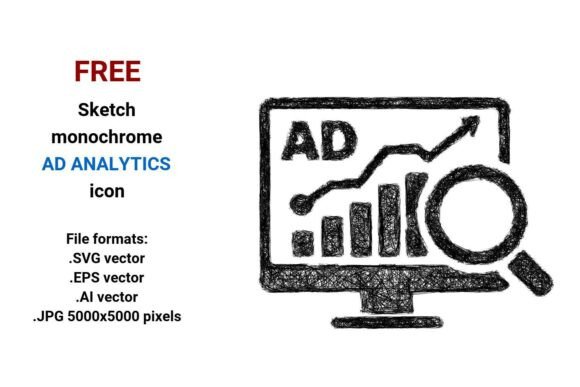
When integrating analytics concepts into dashboards, presentations, or marketing tools, visual clarity matters — but so does stylistic consistency. The FREE Sketch Ad Analytics Icon fills a specific niche: it’s a monochrome, hand-drawn vector icon designed to represent advertising data and marketing analytics without relying on sterile, overused UI symbols. Unlike generic analytics icons built from rigid geometric shapes, this one uses expressive, sketchy linework — evoking the feel of a quick whiteboard session or a designer’s early concept sketch. It communicates “data in progress” rather than “finalized report,” making it especially useful where authenticity, approachability, or creative iteration is part of the message.
What Makes This Icon Distinct?
The FREE Sketch Ad Analytics Icon stands out because it merges two often-opposing qualities: precision and personality. As a vector image, it’s mathematically defined — scalable to billboard size or app-button dimensions without pixelation. Yet its aesthetic leans into imperfection: slight line variations, uneven stroke weights, and subtle curvature mimic freehand drawing. This isn’t just “black and white” — it’s monochrome with intention. The sketch style avoids visual fatigue common with high-contrast flat icons while still maintaining readability at small sizes.
It’s delivered in four formats: .SVG (ideal for web use and responsive interfaces), .EPS (compatible with legacy print workflows), .AI (editable in Adobe Illustrator for custom tweaks), and .JPG (5000×5000 pixels, suitable for high-res mockups or printed collateral). That breadth means it adapts across environments — whether embedded in a SaaS dashboard, placed in a pitch deck, or layered into an e-commerce landing page illustration.
How It Fits Into Broader Design and Analytics Contexts
Marketing analytics and advertising data visuals often default to either ultra-minimalist icons (thin lines, perfect circles) or overly complex illustrations (3D charts, animated graphs). The FREE Sketch Ad Analytics Icon sits deliberately between those poles. It doesn’t try to visualize data itself — no bar charts or pie slices — but instead signals the *category*: ad performance, campaign tracking, audience segmentation, or ROI analysis. That abstraction makes it flexible. You might pair it with a heatmap, label it “CTR Insights,” or use it as a navigation button labeled “Ad Metrics.”
Compared to standard analytics icons, this one carries more tonal nuance. A clean, geometric “analytics” icon may suit a fintech platform emphasizing reliability and speed. But a startup explaining marketing experimentation to non-technical stakeholders? Here, the sketch style lowers cognitive load — it feels less like a system command and more like a collaborative prompt.
Strengths and Practical Tradeoffs
Strengths:
- Scalability without compromise: As a true vector image, it retains fidelity at any size — critical when designing for multiple devices or print outputs.
- Style cohesion: Works naturally alongside other hand-drawn or sketch-style assets — useful for brands using illustrated design systems.
- Format versatility: Having both editable vectors (.AI, .EPS, .SVG) and a high-res raster (.JPG) covers nearly all production needs without requiring conversion tools.
- Neutral tone: Its black-and-white, outline-based structure ensures accessibility and easy recoloring — no embedded gradients or transparency issues.
Tradeoffs to consider:
- Not self-explanatory for all audiences: Users unfamiliar with sketch-style conventions may initially read it as “unfinished” rather than “intentionally illustrative.” Clarity improves when paired with text labels or used within a consistent visual language.
- Limited stylistic variation: While the monochrome, sketchy look is distinctive, it doesn’t offer alternate color versions or alternate poses (e.g., a version with upward arrows for growth metrics). Customization requires editing the vector files directly.
- Less suited for strict accessibility contexts: Though legible, its irregular linework may present slightly lower contrast than bold, solid icons in certain low-vision scenarios — best supplemented with proper alt text and adjacent labeling.
When This Icon Is the Right Fit — And When It Isn’t
The FREE Sketch Ad Analytics Icon shines in environments where design voice matters as much as function. Consider it ideal for:
- E-commerce platforms introducing new analytics features to small business owners — the sketch style softens technical intimidation.
- Marketing agencies building client-facing dashboards that emphasize collaboration and iterative strategy.
- Presentation decks where data storytelling benefits from human-centered visuals — think investor updates or internal workshops.
- Mobile apps prioritizing friendly UX over corporate formality (e.g., social media management tools aimed at solopreneurs).
Conversely, it may not align with projects requiring:
- Strict brand guidelines mandating uniform icon weight, corner radius, or stroke consistency across all interface elements.
- High-density data tables or enterprise software where minimal visual noise is prioritized — here, a thinner, crisper icon may improve scan efficiency.
- Animated or interactive states (e.g., hover effects, loading indicators), since the base file isn’t built with interactivity in mind — though SVG versions can be extended with CSS/JS if needed.
Real-World Use Cases and Integration Notes
A digital marketing team launching a new campaign reporting module used the FREE Sketch Ad Analytics Icon as the primary navigation button for their “Performance Hub.” They kept the black-and-white version but added a subtle blue hover tint via CSS — preserving the sketch aesthetic while signaling interactivity. In their user testing, participants associated the icon with “actionable insights” more readily than with a generic graph icon, likely due to its implied process-oriented framing.
Another example: an educational SaaS platform teaching advertising data fundamentals used the .JPG version in a slide deck illustrating funnel analysis. Because the icon was delivered at 5000×5000 pixels, it remained razor-sharp even when zoomed during live instruction — something lower-resolution PNG alternatives couldn’t match without blurring.
For developers embedding the SVG, the clean path structure allows easy integration into React or Vue components with dynamic fill control. Designers using the .AI file adjusted stroke taper and added a faint shadow layer to match their existing sketch-style asset library — a task made straightforward thanks to well-organized layers and ungrouped paths.
Making an Informed Choice
Selecting an icon isn’t just about aesthetics — it’s about alignment with audience expectations, technical constraints, and long-term maintainability. The FREE Sketch Ad Analytics Icon offers a thoughtful balance: professional-grade vector fidelity wrapped in an accessible, human-centered style. It doesn’t replace more literal data visualization assets — nor should it. Instead, it serves as a bridge between raw advertising data and how people interpret, discuss, and act on it.
If your goal is to signal analytical rigor without sacrificing warmth — or if you’re building tools where users benefit from visual cues that feel collaborative, iterative, and grounded — this icon earns serious consideration. If, however, your context demands maximum scalability *and* multi-state interactivity *and* strict WCAG AA contrast ratios out-of-the-box, you may need to supplement it with additional design work or explore complementary assets.
Ultimately, the value lies not just in what the FREE Sketch Ad Analytics Icon is, but in how thoughtfully it’s applied — as one intentional element among many in a larger system of communication.